
Introduction
The modern workplace has evolved significantly over the past few years. Hybrid work models, remote collaboration, and cloud-based business operations have become the standard rather than the exception. Employees now expect secure, seamless access to documents, applications, and business information from virtually anywhere. As organizations continue their digital transformation journey, having an efficient collaboration platform is no longer optional. It is a business necessity.
Many organizations still rely on outdated file servers, legacy SharePoint environments, or disconnected document repositories that slow productivity and create unnecessary operational challenges. These older systems often make it difficult for employees to locate information, collaborate effectively, and maintain document security. As businesses grow, these issues become even more pronounced, leading to inefficiencies, compliance risks, and higher operational costs.
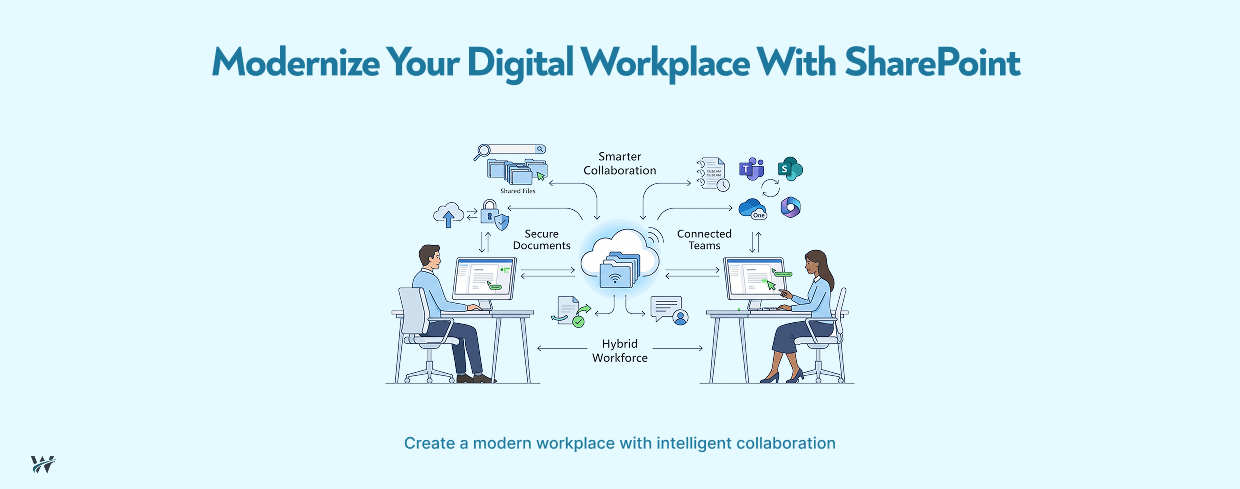
SharePoint modernization addresses these challenges by transforming traditional document management into a centralized, intelligent, and cloud-powered digital workplace. Built on Microsoft SharePoint Online within Microsoft 365, modern SharePoint empowers organizations to improve collaboration, automate business processes, strengthen security, and provide employees with the tools they need to work efficiently from any location.
In this blog, we'll explore why SharePoint modernization matters, its key benefits, best practices for implementation, common challenges, and how organizations can successfully build a smarter digital workplace.
What Is SharePoint Modernization?
SharePoint modernization is the process of upgrading legacy SharePoint environments, on-premises deployments, or outdated document management systems into a modern, cloud-based collaboration platform.
Rather than simply migrating files, modernization focuses on improving the overall user experience while enabling better collaboration, stronger governance, automation, and integration across the Microsoft ecosystem.
Modern SharePoint offers:
The result is a digital workplace that supports both current business needs and future growth.
Why Modernize SharePoint?
Many organizations continue using legacy systems because "they still work." However, aging platforms often become barriers to productivity rather than business enablers.
Common problems with older SharePoint environments include:
Duplicate Files
Employees frequently save multiple versions of documents because they cannot determine which file is the latest. Duplicate files consume storage, create confusion, and increase the likelihood of errors.
Modern SharePoint uses version history and collaborative editing to maintain a single source of truth.
Poor Search Experiences
One of the biggest frustrations employees face is spending excessive time searching for documents.
Legacy systems often lack:
Modern SharePoint uses Microsoft Search to help users locate files, people, sites, and business information quickly.
Version Control Issues
Emailing documents back and forth often creates numerous file versions with inconsistent updates.
SharePoint enables multiple users to edit the same document simultaneously while maintaining a complete version history.
Limited Collaboration
Traditional document repositories typically support storage rather than collaboration.
Modern SharePoint integrates seamlessly with:
Employees can collaborate without switching between multiple applications.
Security Concerns
Older environments frequently rely on inconsistent permission structures and outdated security policies.
Modern SharePoint provides:
This significantly strengthens organizational security.
Benefits of SharePoint Modernization
Modernizing SharePoint delivers benefits that extend beyond document storage.
Centralized Document Management
A centralized repository eliminates scattered information across:
Employees always know where to find the latest business documents.
Centralized document management also improves:
This creates consistency across departments.
Improved Collaboration
Modern businesses rely heavily on collaboration between departments, locations, and external stakeholders.
SharePoint enables users to:
Whether employees work in the office or remotely, everyone accesses the same up-to-date information.
This reduces delays while improving productivity.
Enhanced Security
Security remains a top priority for organizations managing sensitive business information.
Modern SharePoint includes enterprise-grade security features such as:
Organizations maintain greater control over who can access, edit, or share business content.
Anywhere Access
Hybrid work has permanently changed how organizations operate.
Employees expect secure access from:
SharePoint Online enables secure cloud access from virtually anywhere while maintaining organizational security standards.
Employees remain productive regardless of location.
Business Process Integration
One of SharePoint's greatest strengths is its integration across the Microsoft ecosystem.
Organizations can connect SharePoint with:
This allows businesses to automate repetitive processes and reduce manual work.
Examples include:
Automation saves time while improving consistency.
Improved Knowledge Management
Many organizations lose valuable knowledge because information remains trapped within departments.
Modern SharePoint enables organizations to build centralized knowledge hubs where employees can easily access:
Knowledge becomes accessible across the organization rather than residing with individual employees.
Better Employee Experience
A modern digital workplace improves employee satisfaction by simplifying everyday tasks.
Employees spend less time:
Instead, they focus on meaningful work that drives business value.
A better employee experience often contributes to improved engagement and productivity.
Key Features of Modern SharePoint
Organizations investing in SharePoint modernization gain access to powerful capabilities designed for today's digital workplace.
Some of the most valuable features include:
Intelligent Search
Microsoft Search provides fast, accurate search results using AI-powered indexing, metadata, and user relevance.
Modern Communication Sites
Organizations can build attractive intranet portals that share:
These sites improve internal communication across the business.
Team Sites
Department-specific collaboration spaces allow employees to share documents, calendars, tasks, and discussions within a secure environment.
Metadata and Content Classification
Proper metadata improves document organization and makes content easier to search, filter, and manage throughout its lifecycle.
Version History
Every change is automatically tracked, allowing users to restore previous versions if necessary while maintaining a complete audit trail.
Mobile Accessibility
Modern SharePoint provides responsive experiences across desktops, tablets, and smartphones, ensuring employees stay connected wherever they work.
Best Practices for SharePoint Modernization
A successful modernization project involves more than migrating files. Organizations should follow these best practices to maximize long-term value.
Review Existing Content
Begin by assessing your current SharePoint environment and document repositories.
Identify:
This helps reduce unnecessary migration costs.
Eliminate Outdated Documents
Not every file deserves migration.
Remove:
Cleaning up content improves performance and simplifies navigation.
Improve Site Architecture
A well-designed SharePoint environment makes information easier to locate.
Consider:
Strong information architecture improves the overall user experience.
Automate Workflows
Manual processes consume valuable employee time.
Use Power Automate to automate routine tasks such as:
Automation reduces errors while increasing efficiency.
Establish Governance Policies
Clear governance ensures SharePoint remains organized as it grows.
Governance should include:
Strong governance prevents future content sprawl.
Common Challenges During SharePoint Modernization
Although modernization delivers significant benefits, organizations may encounter several challenges during implementation.
Legacy Data Complexity
Years of accumulated documents can complicate migration efforts.
Conducting a thorough content audit helps simplify the process.
User Resistance
Employees may hesitate to adopt new systems.
Early communication, training, and executive support encourage successful adoption.
Permission Management
Migrating outdated permission structures without review can create security risks.
Organizations should redesign permissions based on current business needs rather than copying legacy settings.
Integration Planning
Businesses often rely on multiple systems beyond SharePoint.
Careful planning ensures smooth integration with Microsoft 365 applications and third-party business systems.
How SharePoint Supports Digital Transformation
SharePoint modernization is not just an IT upgrade. It plays a critical role in broader digital transformation initiatives.
Modern SharePoint supports:
As organizations continue investing in AI, automation, and cloud technologies, SharePoint serves as a foundational platform that connects employees, information, and business processes.
When combined with Microsoft Power Platform, organizations can further extend SharePoint by creating custom applications, dashboards, and automated workflows without extensive custom development.
Conclusion
As businesses continue embracing hybrid work and digital transformation, modern collaboration platforms have become essential for maintaining productivity, security, and operational efficiency. Legacy document repositories and outdated SharePoint environments often create barriers through duplicate files, inconsistent version control, poor search experiences, and limited collaboration.
SharePoint modernization provides a smarter approach by centralizing document management, strengthening security, enabling real-time collaboration, and integrating seamlessly with Microsoft 365, Microsoft Teams, Power Automate, and Power Apps. Organizations that invest in a modern SharePoint environment not only improve day-to-day operations but also build a scalable foundation for future innovation.
By reviewing existing content, improving site architecture, automating workflows, establishing governance, and training employees, businesses can maximize the value of their SharePoint investment. The result is a connected, secure, and intelligent digital workplace that empowers employees to work efficiently from anywhere while supporting long-term business growth.
Call to Action
Ready to transform your workplace with a modern SharePoint environment?
Whether you're upgrading from legacy SharePoint, migrating to SharePoint Online, or looking to improve collaboration across your organization, our experts can help you design a secure, scalable, and efficient digital workplace. From planning and migration to governance, workflow automation, and Microsoft 365 integration, we deliver SharePoint solutions tailored to your business needs.
Contact us today to learn how our SharePoint modernization services can help your organization improve productivity, strengthen security, and accelerate digital transformation.