
Published: 13 May 2026, 09:00PM
Introduction
Modern businesses generate enormous amounts of data every single day. From customer interactions and sales transactions to financial records and operational workflows, organizations rely heavily on data to guide their strategies and business decisions. However, raw data alone provides little value unless it is properly analyzed, visualized, and transformed into meaningful insights.
Many organizations struggle with scattered information stored across spreadsheets, databases, cloud platforms, CRM systems, and enterprise applications. Without a centralized reporting system, leaders often face delays in decision-making, inaccurate reporting, and limited visibility into business performance.
This is where Power BI solutions play a critical role.
Power BI is one of the most powerful business intelligence and data visualization platforms available today. Developed by Microsoft, Power BI enables businesses to connect multiple data sources, create interactive dashboards, automate reports, and monitor performance in real time.
Organizations across industries use Power BI solutions to improve operational efficiency, enhance business transparency, and support data-driven decision-making. Whether a company wants to analyze sales performance, track KPIs, monitor financial health, or gain customer insights, Power BI helps transform complex data into clear and actionable information.
In this blog, we will explore what Power BI is, how Power BI solutions benefit businesses, common use cases, implementation strategies, and why organizations are increasingly investing in business intelligence platforms to stay competitive in a data-driven market.
What Is Power BI?
Power BI is a cloud-based business intelligence and analytics platform that helps organizations visualize, analyze, and share data across teams and departments.
The platform allows users to connect various data sources, organize information, and create dynamic reports and dashboards that support strategic business decisions.
Power BI solutions are widely used for:
One of the biggest advantages of Power BI is its ability to simplify complex datasets into visually engaging charts, graphs, and dashboards that are easy to understand.
Businesses can access data insights from desktops, tablets, or mobile devices, allowing leadership teams to monitor performance anytime and anywhere.
Why Businesses Need Power BI Solutions
Businesses today operate in highly competitive environments where decisions must be made quickly and accurately. Traditional reporting methods involving spreadsheets and manual data analysis are no longer sufficient for growing organizations.
Power BI solutions help businesses overcome common data management challenges such as:
By implementing Power BI, organizations can centralize their business data and gain a unified view of operations.
This improves efficiency, enhances collaboration, and helps decision-makers identify opportunities and risks faster.
Key Features of Power BI
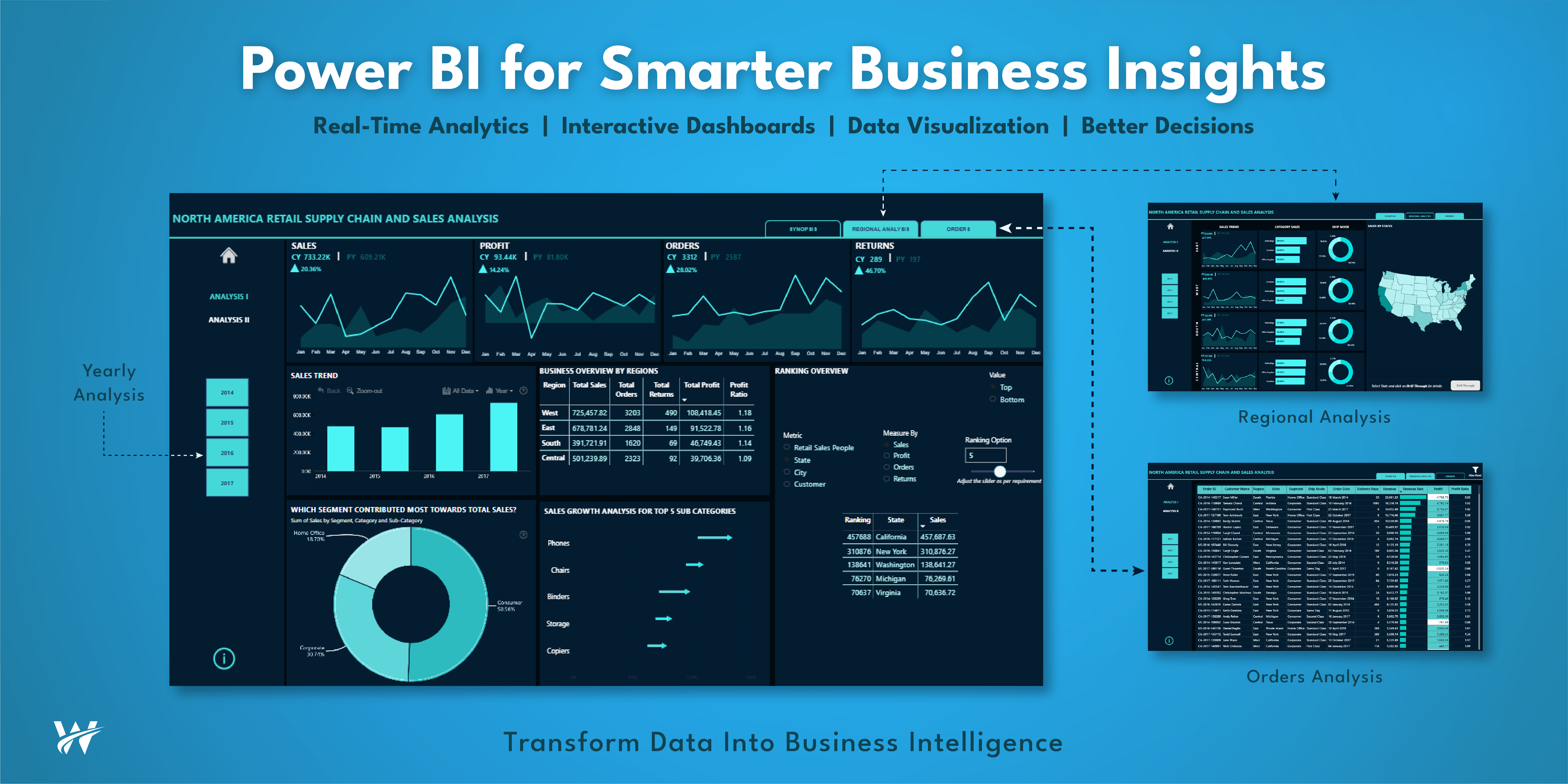
Power BI enables businesses to create highly interactive dashboards that display critical business metrics in real time.
Users can customize dashboards to track:
Interactive dashboards allow users to drill down into specific data points for deeper analysis.
One of the most valuable features of Power BI solutions is real-time reporting.
Businesses can monitor live data streams and instantly identify trends, issues, or opportunities.
Real-time analytics are especially useful for:
This enables organizations to make faster and more informed decisions.
Power BI can connect to hundreds of data sources, including:
This integration capability allows businesses to consolidate information into a single dashboard for improved visibility.
Power BI includes artificial intelligence capabilities that help organizations discover trends, patterns, and predictive insights.
AI-powered features include:
These advanced analytics capabilities help businesses improve strategic planning and forecasting.
Power BI dashboards can be accessed on mobile devices, allowing executives and employees to monitor performance remotely.
Mobile accessibility improves business agility and supports faster decision-making.
Benefits of Power BI Solutions
Traditional reporting methods often involve delays due to manual data collection and spreadsheet updates.
Power BI automates reporting processes and provides real-time access to business data.
This helps organizations:
Real-time visibility is essential for businesses operating in fast-paced industries.
Data-driven decision-making is critical for modern organizations.
Power BI solutions provide visual insights that help leadership teams understand business performance more clearly.
Instead of relying on assumptions, businesses can make decisions based on accurate and up-to-date data.
Benefits include:
Organizations that use business intelligence tools often gain a competitive advantage through smarter decision-making.
Manual reporting consumes valuable employee time and increases the risk of human errors.
Power BI automates data collection, processing, and visualization, allowing teams to focus on strategic tasks instead of repetitive reporting activities.
Automation benefits include:
Employees can access reports instantly without waiting for IT teams to prepare data manually.
Power BI reduces the risk of inconsistencies caused by multiple spreadsheets and disconnected systems.
By centralizing data into a unified platform, businesses can ensure consistent and accurate reporting.
Improved data accuracy leads to:
Accurate data is essential for making informed business decisions.
Power BI solutions improve organizational transparency by giving teams visibility into operations, performance, and KPIs.
When departments have access to shared dashboards and reports, collaboration improves significantly.
Transparency benefits include:
Organizations become more agile and efficient when teams operate using the same data.
Power BI is highly scalable and suitable for businesses of all sizes.
Whether a startup needs basic dashboards or an enterprise requires advanced analytics, Power BI can scale according to business needs.
Scalable solutions help organizations:
This flexibility makes Power BI a cost-effective long-term investment.
Common Power BI Use Cases
Sales Analytics
Sales teams use Power BI to monitor revenue performance, track customer behavior, and analyze sales trends.
Sales dashboards often include:
These insights help organizations improve sales strategies and customer engagement.
Financial Reporting
Finance departments use Power BI for budgeting, forecasting, and financial analysis.
Financial dashboards help businesses monitor:
Automated financial reporting improves accuracy and reduces reporting time.
Customer Insights
Understanding customer behavior is essential for business growth.
Power BI helps organizations analyze customer data to identify trends and improve customer experiences.
Customer analytics include:
Businesses can use these insights to improve marketing and customer engagement strategies.
Operational Tracking
Operations teams use Power BI to monitor workflows, inventory, supply chains, and production performance.
Operational dashboards help organizations:
This improves overall business performance and operational efficiency.
Human Resources Analytics
HR departments use Power BI solutions to track workforce performance and employee metrics.
HR analytics may include:
Data-driven HR strategies help organizations improve workforce management.
Healthcare Analytics
Healthcare organizations use Power BI for patient data analysis, operational monitoring, and performance reporting.
Healthcare dashboards support:
Business intelligence improves healthcare decision-making and patient outcomes.
Industries Using Power BI Solutions
Power BI solutions are widely adopted across multiple industries.
Healthcare
Healthcare organizations use Power BI for:
Retail
Retail businesses use Power BI to analyze:
Finance
Financial institutions rely on Power BI for:
Manufacturing
Manufacturers use Power BI for:
Education
Educational institutions use Power BI to monitor:
How Power BI Supports Digital Transformation
Digital transformation requires organizations to modernize operations and improve decision-making through technology.
Power BI solutions support digital transformation by enabling businesses to:
Organizations that adopt business intelligence tools can respond more effectively to changing market demands.
Power BI and Cloud Integration
Power BI integrates seamlessly with cloud platforms such as:
Cloud integration allows businesses to access data securely from anywhere while improving scalability and collaboration.
Cloud-based Power BI solutions also reduce infrastructure costs and simplify data management.
Best Practices for Implementing Power BI Solutions
Define Business Goals
Before implementing Power BI, organizations should clearly identify their reporting and analytics objectives.
Common goals include:
Clear goals ensure successful implementation.
Identify Key Data Sources
Businesses should determine which systems and databases will provide data for Power BI dashboards.
This may include:
Data quality is critical for accurate reporting.
Focus on Dashboard Simplicity
Effective dashboards should be easy to understand and visually organized.
Businesses should avoid cluttered reports and focus on displaying the most important metrics.
Simple dashboards improve user adoption and decision-making efficiency.
Ensure Data Security
Data security is essential when implementing business intelligence solutions.
Organizations should implement:
Power BI provides enterprise-grade security features to protect sensitive business data.
Train Employees
Employee training is essential for maximizing the value of Power BI solutions.
Organizations should educate teams on:
Well-trained employees can leverage business intelligence more effectively.
Challenges Businesses Face Without Power BI
Organizations that lack advanced business intelligence tools often face several operational challenges.
Slow Reporting
Manual reporting processes consume time and delay decision-making.
Data Silos
Disconnected systems create inconsistent reporting and poor visibility.
Limited Insights
Businesses struggle to identify trends and opportunities without advanced analytics.
Reduced Productivity
Employees spend excessive time preparing reports manually.
Inaccurate Data
Spreadsheet-based reporting increases the risk of human error.
Power BI solutions help eliminate these challenges by centralizing data and automating analytics.
Future of Power BI and Business Intelligence
The future of business intelligence is rapidly evolving with advancements in AI, machine learning, and cloud computing.
Power BI continues to evolve with features such as:
Businesses that invest in modern analytics platforms will gain stronger competitive advantages in the future.
As organizations continue generating larger volumes of data, business intelligence solutions will become even more important for strategic planning and operational efficiency.
Why Businesses Should Invest in Power BI Solutions
Power BI provides businesses with the ability to turn raw data into actionable insights that improve performance and drive growth.
Key reasons to invest in Power BI include:
Organizations that embrace data-driven strategies are more likely to achieve long-term success in competitive markets.
Conclusion
Data has become one of the most valuable assets for modern businesses. However, without the right tools, organizations cannot fully leverage the power of their information.
Power BI solutions help businesses transform complex data into meaningful insights through interactive dashboards, real-time reporting, and advanced analytics. By centralizing data and automating reporting processes, Power BI enables organizations to improve decision-making, enhance productivity, and increase operational transparency.
From sales analytics and financial reporting to operational tracking and customer insights, Power BI supports a wide range of business intelligence needs across industries.
As businesses continue to adopt digital transformation strategies, Power BI will remain a critical tool for organizations seeking scalable, secure, and data-driven solutions.
Companies that invest in Power BI solutions can gain a significant competitive advantage by turning business data into actionable insights that drive growth, innovation, and long-term success.