
Introduction
Organizations today operate in an increasingly digital environment where speed, efficiency, and adaptability are essential for maintaining a competitive advantage. Businesses are constantly searching for ways to streamline operations, eliminate repetitive tasks, and improve collaboration across departments. However, traditional software development often presents significant challenges. Custom applications typically require extensive coding, long development cycles, high implementation costs, and continuous maintenance, making them difficult for many organizations to justify for everyday operational needs.
Many departments continue to rely on spreadsheets, paper-based processes, emails, and disconnected systems to manage routine business operations. These manual processes slow productivity, increase the likelihood of errors, and create bottlenecks that impact customer service and employee satisfaction.
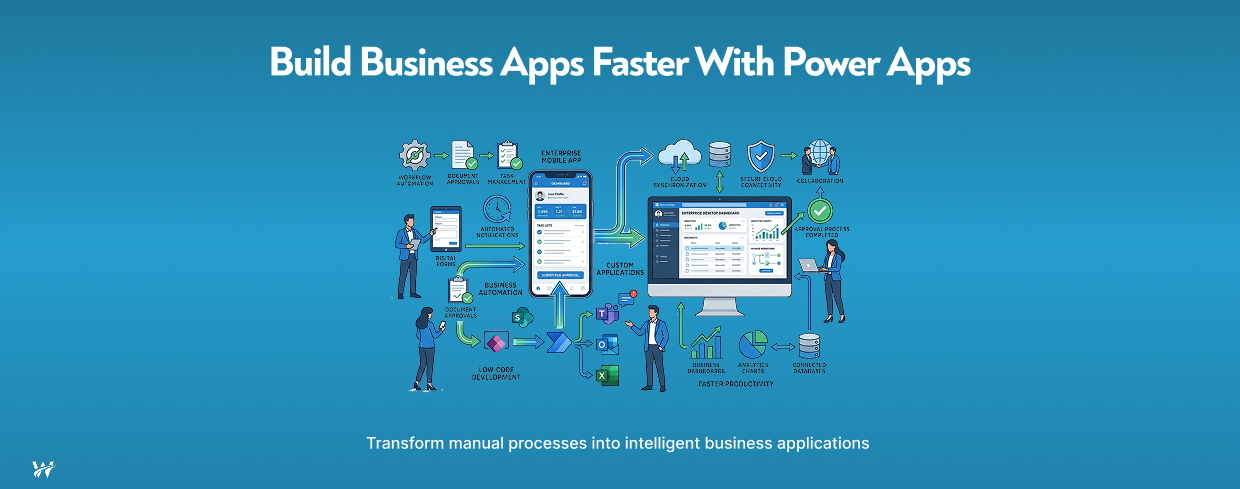
This is where Power Apps development has transformed modern business automation. As part of the Microsoft Power Platform, Microsoft Power Apps enables organizations to build secure, scalable, and customized business applications using a low-code development approach.
Rather than waiting months for software developers to create applications, business teams can rapidly design solutions that automate workflows, simplify data collection, and integrate seamlessly with existing Microsoft technologies.
Whether an organization wants to digitize approval processes, streamline employee onboarding, manage field inspections, or replace outdated spreadsheets, Power Apps provides the flexibility to build applications that address unique business requirements without requiring extensive programming expertise.
In this blog, we'll explore how Power Apps development helps organizations accelerate business process automation, reduce development costs, improve productivity, and support long-term digital transformation initiatives.
What are Microsoft Power Apps?
Microsoft Power Apps is Microsoft's low-code application development platform that enables organizations to create custom business applications for web browsers, tablets, and mobile devices with minimal coding.
Unlike traditional application development, which often requires teams of developers, Power Apps allows IT professionals, business analysts, and even technically inclined business users to create applications through an intuitive visual interface.
Power Apps is designed to solve common business challenges by allowing organizations to build applications that connect people, processes, and data across multiple systems.
Businesses use Power Apps to:
Instead of purchasing multiple niche software products, organizations can create tailored applications that align with their specific operational requirements.
Why Businesses Are Moving Toward Low-Code Development
Digital transformation is no longer limited to large enterprises. Organizations of all sizes require applications that can evolve alongside changing business needs.
Traditional software development often creates challenges such as:
Low-code platforms like Power Apps address these challenges by dramatically reducing the amount of custom code required.
Business teams can quickly create prototypes, test ideas, gather feedback, and deploy solutions much faster than conventional software development projects.
This agility allows organizations to respond to operational challenges without waiting for lengthy software development cycles.
Key Features of Microsoft Power Apps
Power Apps offers a wide range of capabilities that make business application development accessible and scalable.
Visual Application Builder
Power Apps includes a drag-and-drop interface that allows users to create professional applications using prebuilt components, templates, and connectors.
Instead of writing thousands of lines of code, developers configure screens, forms, workflows, and business logic visually.
Mobile and Web Accessibility
Applications built using Power Apps automatically work across multiple devices, including:
Employees can access business applications wherever they work, improving flexibility and productivity.
Extensive Data Connectivity
One of Power Apps' greatest strengths is its ability to connect with hundreds of data sources.
Examples include:
Organizations can consolidate information from multiple systems into a single application.
Secure Access Control
Power Apps integrates with Microsoft Entra ID (formerly Azure Active Directory), allowing organizations to manage authentication and user permissions securely.
Role-based access ensures employees only view information relevant to their responsibilities.
AI Capabilities
Modern Power Apps solutions can leverage Microsoft AI capabilities to:
These intelligent features help organizations further reduce manual effort.
Business Benefits of Power Apps Development
Rapid Application Development
One of the biggest advantages of Power Apps development is speed.
Traditional application development projects often require several months from planning to deployment.
Power Apps significantly shortens development timelines.
Organizations can:
Faster development means businesses can solve operational problems sooner.
Improved Employee Productivity
Employees frequently spend valuable time performing repetitive administrative work.
Examples include:
Power Apps automates these activities, allowing employees to focus on higher-value work.
The result is:
Seamless Microsoft Ecosystem Integration
Organizations already using Microsoft technologies gain significant value from Power Apps because it integrates naturally with existing systems.
Power Apps works seamlessly with:
For example:
An employee submits a request through a Power Apps application.
The request automatically:
This connected ecosystem eliminates disconnected workflows.
Lower Development Costs
Custom enterprise software development often requires:
Power Apps reduces these costs by enabling faster development using reusable components and standardized connectors.
Organizations can build more applications while reducing overall IT spending.
Scalable Business Solutions
Business needs evolve over time.
Power Apps applications can easily expand by adding:
Organizations do not need to rebuild applications from scratch as requirements grow.
Better Data Accuracy
Manual data entry frequently introduces inconsistencies and errors.
Power Apps improves data quality through:
Improved data quality supports better reporting and decision-making.
Common Business Use Cases for Power Apps
Power Apps can automate nearly every department across an organization.
Some of the most common business applications include:
Employee Onboarding
HR departments often coordinate multiple onboarding tasks.
Power Apps can automate:
This creates a smoother onboarding experience for both employees and HR teams.
Leave Management
Instead of relying on emails and spreadsheets, organizations can create leave management applications where employees can:
Managers gain better visibility into workforce availability.
Asset Tracking
Organizations managing laptops, equipment, vehicles, or inventory can use Power Apps to:
This improves accountability and reduces asset loss.
Inspection Forms
Industries such as manufacturing, construction, healthcare, and utilities frequently perform inspections.
Power Apps enables inspectors to:
This eliminates paper documentation and speeds reporting.
Expense Approvals
Expense management often involves multiple approval levels.
Power Apps can automate:
Automation reduces delays and administrative overhead.
Project Management
Organizations can create customized project management applications that include:
Managers gain real-time visibility into project performance.
How Power Apps Supports Digital Transformation
Digital transformation is about improving business operations through technology, not simply replacing paper with digital files.
Power Apps enables organizations to modernize operations by:
As organizations adopt cloud technologies, Power Apps becomes a foundational platform for continuous business improvement.
Best Practices for Successful Power Apps Development
To maximize the value of Power Apps, organizations should follow several best practices.
Start with High-Impact Processes
Identify manual processes that consume significant time or create frequent errors.
Prioritizing these workflows delivers faster returns on investment.
Focus on User Experience
Applications should be intuitive and easy to use.
Simple interfaces encourage user adoption and reduce training requirements.
Integrate with Existing Systems
Avoid creating isolated applications.
Connect Power Apps with existing Microsoft solutions and business systems to maximize efficiency.
Establish Governance
Organizations should implement governance policies covering:
Proper governance ensures applications remain secure and maintainable.
Continuously Improve Applications
Business requirements change over time.
Regularly gather user feedback, monitor application performance, and enhance functionality to ensure applications continue delivering value.
Why Partner with Power Apps Development Experts?
Although Power Apps simplifies application development, experienced implementation partners help organizations maximize the platform's capabilities.
Professional Power Apps developers can:
Working with experienced consultants helps organizations avoid common implementation challenges while accelerating deployment.
The Future of Low-Code Business Automation
The demand for low-code platforms continues to grow as organizations seek faster, more flexible ways to innovate.
Microsoft continues to expand Power Apps with advanced capabilities such as:
These innovations enable businesses to automate increasingly complex processes while reducing development effort.
Organizations that embrace low-code development today position themselves to respond more quickly to future business challenges and opportunities.
Conclusion
Power Apps development has become a powerful solution for organizations looking to automate business processes without the cost and complexity of traditional software development. By enabling rapid application development through a low-code platform, businesses can replace manual workflows, improve productivity, reduce operational costs, and accelerate digital transformation initiatives.
From employee onboarding and leave management to asset tracking, inspection forms, expense approvals, and project management, Power Apps empowers organizations to create tailored applications that solve real business challenges while integrating seamlessly with Microsoft 365, SharePoint, Dynamics 365, Azure, Power BI, and other enterprise systems.
As business demands continue to evolve, the flexibility, scalability, and integration capabilities of Microsoft Power Apps make it an essential platform for organizations seeking greater agility and long-term operational efficiency. Investing in Power Apps development today helps build a more connected, automated, and future-ready workplace.
Call to Action
Looking to automate manual processes and build custom business applications faster? Our Power Apps development services help organizations design, develop, and deploy secure, scalable low-code solutions that integrate seamlessly with Microsoft technologies.
Contact our team today to accelerate your digital transformation with Microsoft Power Apps.